Features With Stacked Isometric Boxes
A feature section with stacked isometric boxes that animate based on active selection. Features autoplay with 5-second intervals and click-to-select functionality.
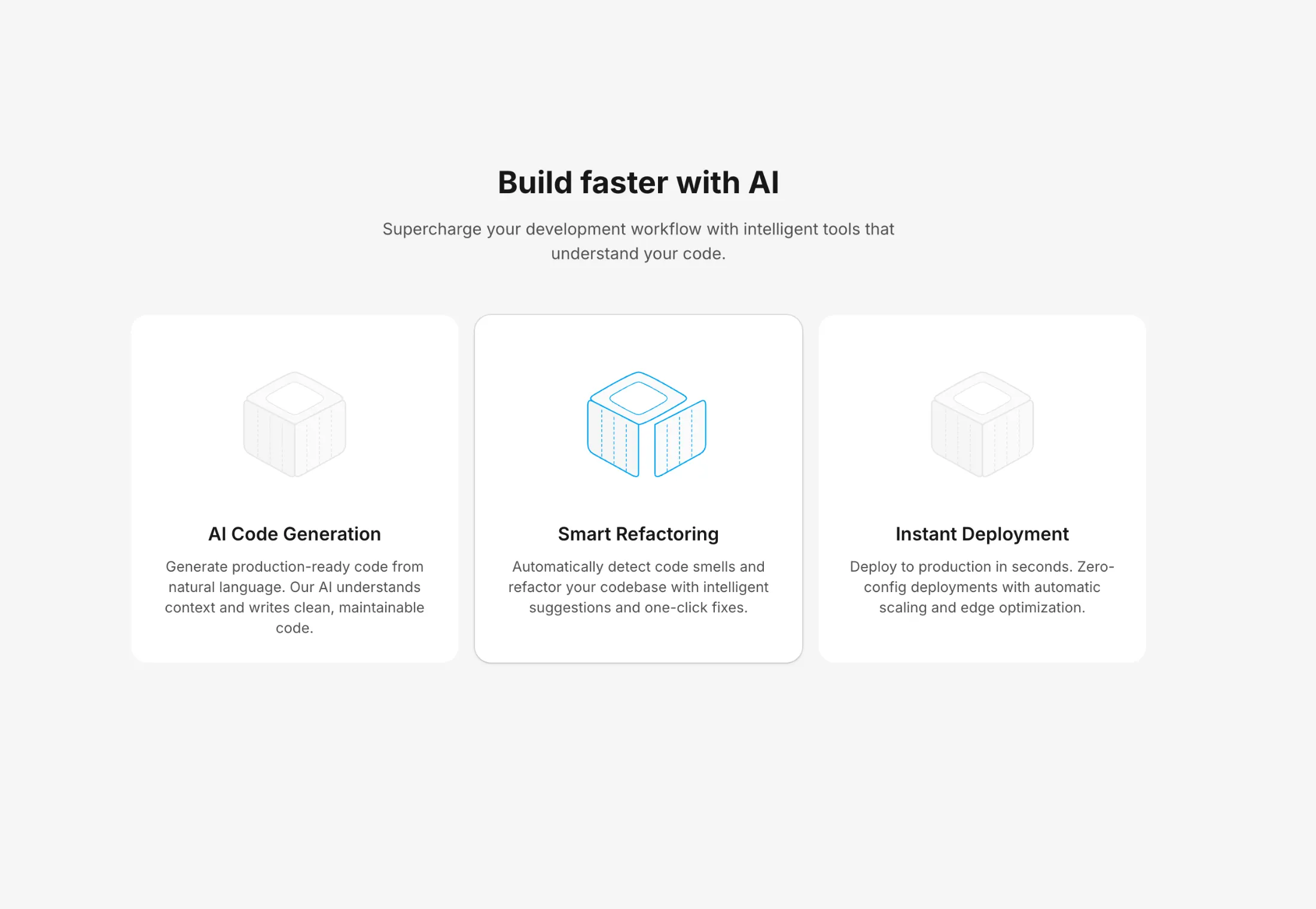
Build faster with AI
Supercharge your development workflow with intelligent tools that understand your code.
AI Code Generation
Generate production-ready code from natural language descriptions. Let AI handle the boilerplate while you focus on logic.
Smart Refactoring
Detect code smells and apply intelligent fixes with one click. Keep your codebase clean and maintainable effortlessly.
Instant Deployment
Deploy to production in seconds with zero configuration. From local development to live in a single command.
Real-time Collaboration
Work together with your team in real-time. See changes instantly and never worry about merge conflicts again.
A two-column feature section with feature cards on the left and stacked isometric box illustrations on the right.
Features
- Autoplay: Automatically cycles through features every 5 seconds
- Timer Reset: Clicking on a feature resets the autoplay timer
- Stacked Layout: Isometric boxes are stacked vertically with visual hierarchy
- Active State Animation: The active box animates its corresponding face (top, left, or right)
- Smooth Transitions: Spring physics for natural-feeling animations
How It Works
Each feature card corresponds to an isometric box on the right:
- Top variant: Top face animates upward
- Left variant: Left face animates outward
- Right variant: Right face animates outward
The active feature is highlighted with a white card background, and its corresponding isometric box shows a blue stroke color and face animation.
Perfect for showcasing product features, service highlights, or step-by-step processes with engaging visual feedback.
More from Feature Sections
Included with All-Access
One payment unlocks the code for this block and every other block, template and page.
Get All-AccessExplore more
About this block
A two-column feature section with feature cards on the left and stacked isometric box illustrations on the right.
Features
- Autoplay: Automatically cycles through features every 5 seconds
- Timer Reset: Clicking on a feature resets the autoplay timer
- Stacked Layout: Isometric boxes are stacked vertically with visual hierarchy
- Active State Animation: The active box animates its corresponding face (top, left, or right)
- Smooth Transitions: Spring physics for natural-feeling animations
How It Works
Each feature card corresponds to an isometric box on the right:
- Top variant: Top face animates upward
- Left variant: Left face animates outward
- Right variant: Right face animates outward
The active feature is highlighted with a white card background, and its corresponding isometric box shows a blue stroke color and face animation.
Perfect for showcasing product features, service highlights, or step-by-step processes with engaging visual feedback.